Control what your AI assistant can see and do
Choose exactly what ChatGPT or Claude may do in your habit tracker, from reading stats to deleting habits, and disconnect any assistant instantly.
3 min read
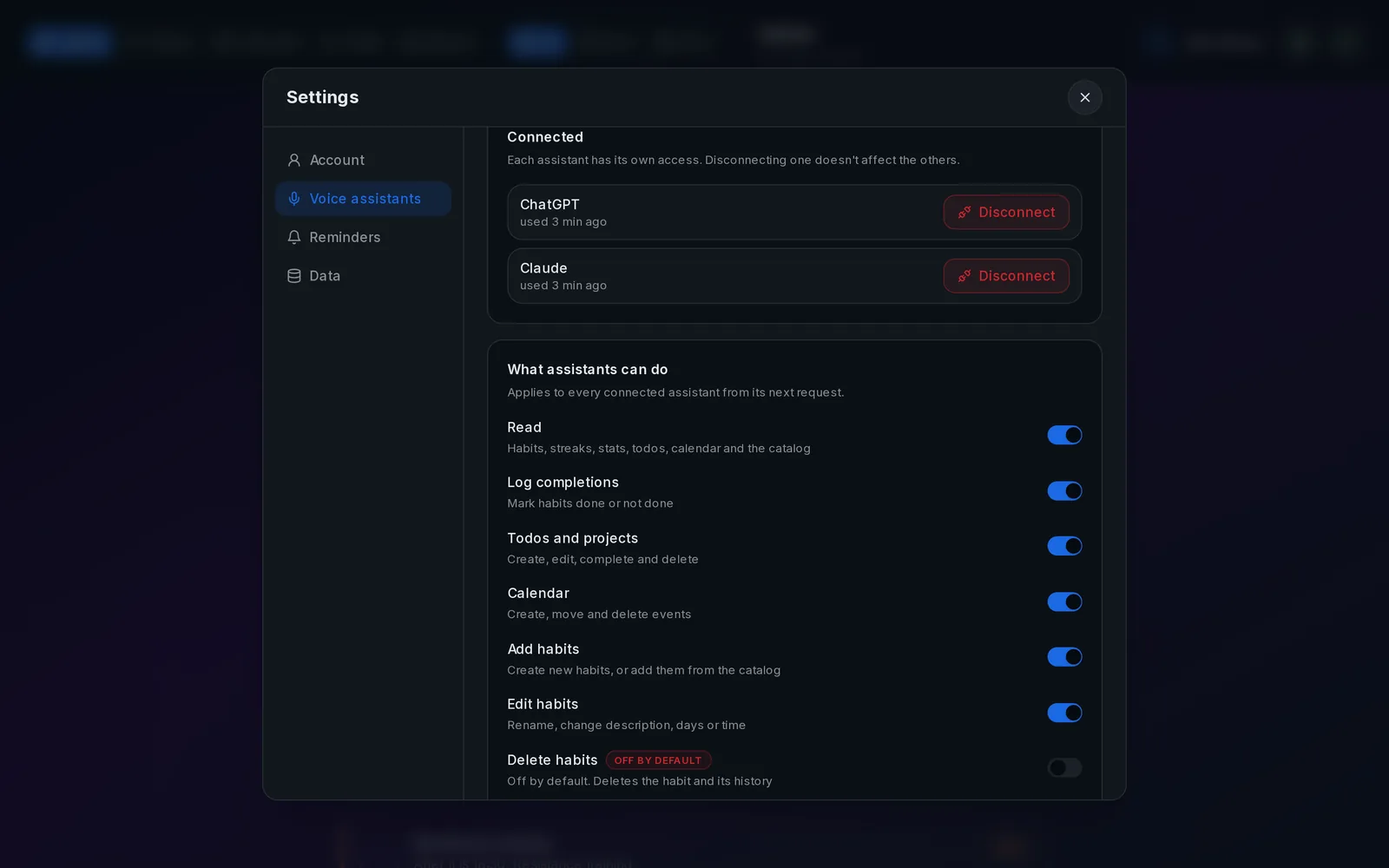
Every assistant gets its own access
Each assistant you connect gets its own access token. Settings → Voice assistants lists them with when they were last used, and Disconnect stops one immediately without affecting the others.
The permissions
Every permission is on by default except deleting habits. Changes apply to the very next request:
- Read: habits, streaks, stats, todos, calendar, catalog and recommendations.
- Log completions: mark habits done or not done, for today or another day.
- Todos and projects: create, edit, complete and delete.
- Calendar: create, move and delete events.
- Add habits: create habits and add protocols from the catalog.
- Edit habits: rename and change description, days or time.
- Delete habits: off until you turn it on.
- Export: download a full JSON backup.
When a permission is off
The assistant gets a clear "switched off" answer it can read to you instead of failing silently. If adding habits is off, it gives you the protocol's link so you can add it yourself.
What an assistant can never do
No token can change its own permissions, read or change your login key or Nostr identity, or reach anyone else's data. Data goes to OpenAI or Anthropic only when you use the assistant, under their terms.
Related guides
How to track your habits with ChatGPT
Connect ChatGPT once and it can read your habits, mark them done and tell you how your week went.
How to connect Claude to your habit tracker
One custom connector and Claude can log your habits, read your stats and suggest protocols, in chat or by voice.
How to read your habit statistics: streaks, rates and trends
Completion rate, streaks, weekly consistency and pillar balance: what each one tells you and what to do about it.