How to connect Claude to your habit tracker
Add Liberture as a custom connector in Claude and track habits, streaks and todos from any chat, project or voice conversation.
4 min read
What Claude can do with your tracker
Once connected, Claude can tell you what's left today with your streaks, mark habits done (or undo them) by name, answer "how was my week", add and close todos, and suggest protocols from the catalog with a link to read first. It works in normal chats, in Projects and in voice mode on the Claude apps.
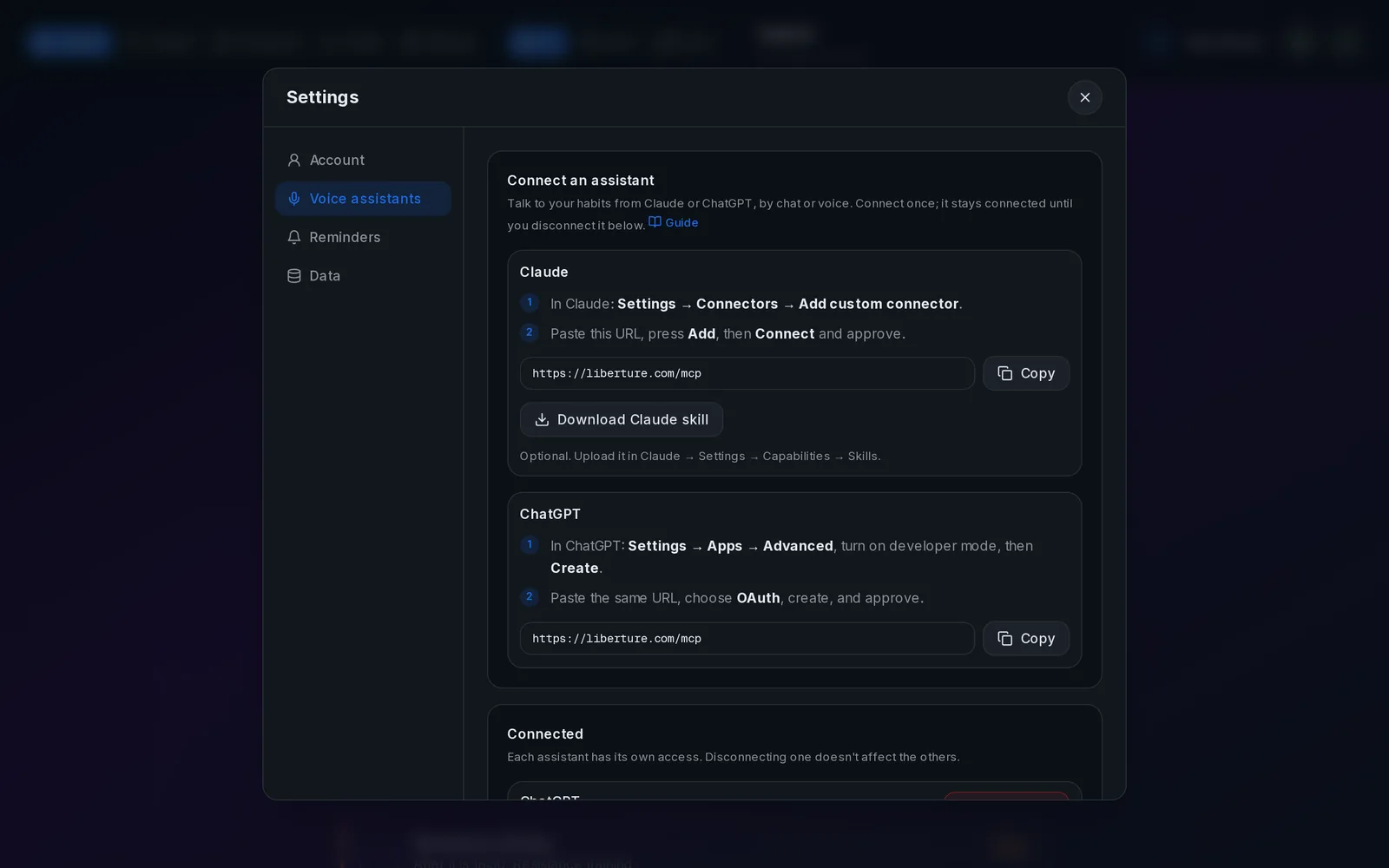
Step 1: Copy the connector URL
The URL is the same for everyone: https://liberture.com/mcp. Your sign-in is what links it to your habits. You'll also find it in the tracker under Settings → Voice assistants, with a copy button.
Step 2: Add it to Claude
On claude.ai or the Claude app, open Settings → Connectors → Add custom connector. Name it "Liberture", paste the URL and press Add. Then press Connect: Liberture opens, you sign in if asked and press Approve. Done.
Step 3 (optional): Install the skill
The Liberture skill teaches Claude a fast check-in routine, useful for voice. Download it from Settings → Voice assistants in the tracker and upload the zip in Claude → Settings → Capabilities → Skills.
Check that it's connected
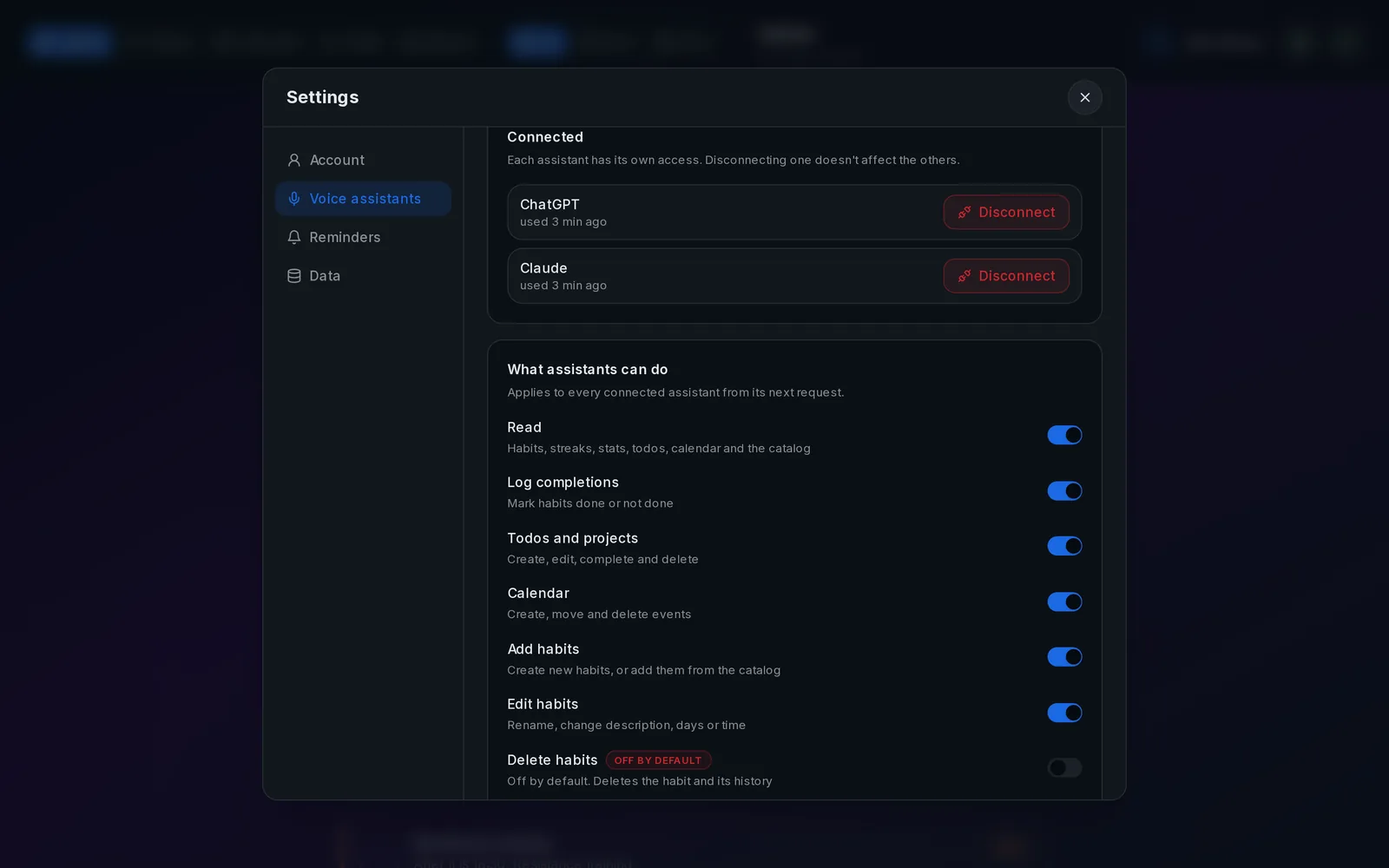
Back in the tracker, Settings → Voice assistants lists every connected assistant with when it was last used. Each one has its own access, so you can disconnect Claude without affecting ChatGPT.
Use it by voice
Start voice mode in the Claude app with the connector enabled and ask "what's left today?". If your device doesn't offer tool calls in voice yet, send the same request as a text message.
Related guides
How to track your habits with ChatGPT
Connect ChatGPT once and it can read your habits, mark them done and tell you how your week went.
Log habits by voice with ChatGPT or Claude
Hands-free habit tracking: say it out loud while you make coffee, and the tracker updates instantly.
Control what your AI assistant can see and do
Eight switches decide what connected assistants may do. Deleting habits is off until you turn it on.