Get new Liberture tools in ChatGPT and Claude
ChatGPT and Claude keep the tool list they loaded when you connected Liberture. See when new tools are waiting and refresh the connector in a minute.
2 min read
Why new tools don't just appear
When you connect Liberture, ChatGPT or Claude loads the list of things it can do (log a habit, move an event, read your week) and keeps that copy. When Liberture ships new tools, your assistant doesn't check again by itself. Until you refresh the connector it keeps working, just without the new abilities.
How you know there's something new
Liberture remembers, for each connected assistant, when it last loaded the tool list and which version it got. Nothing about your conversations is stored.
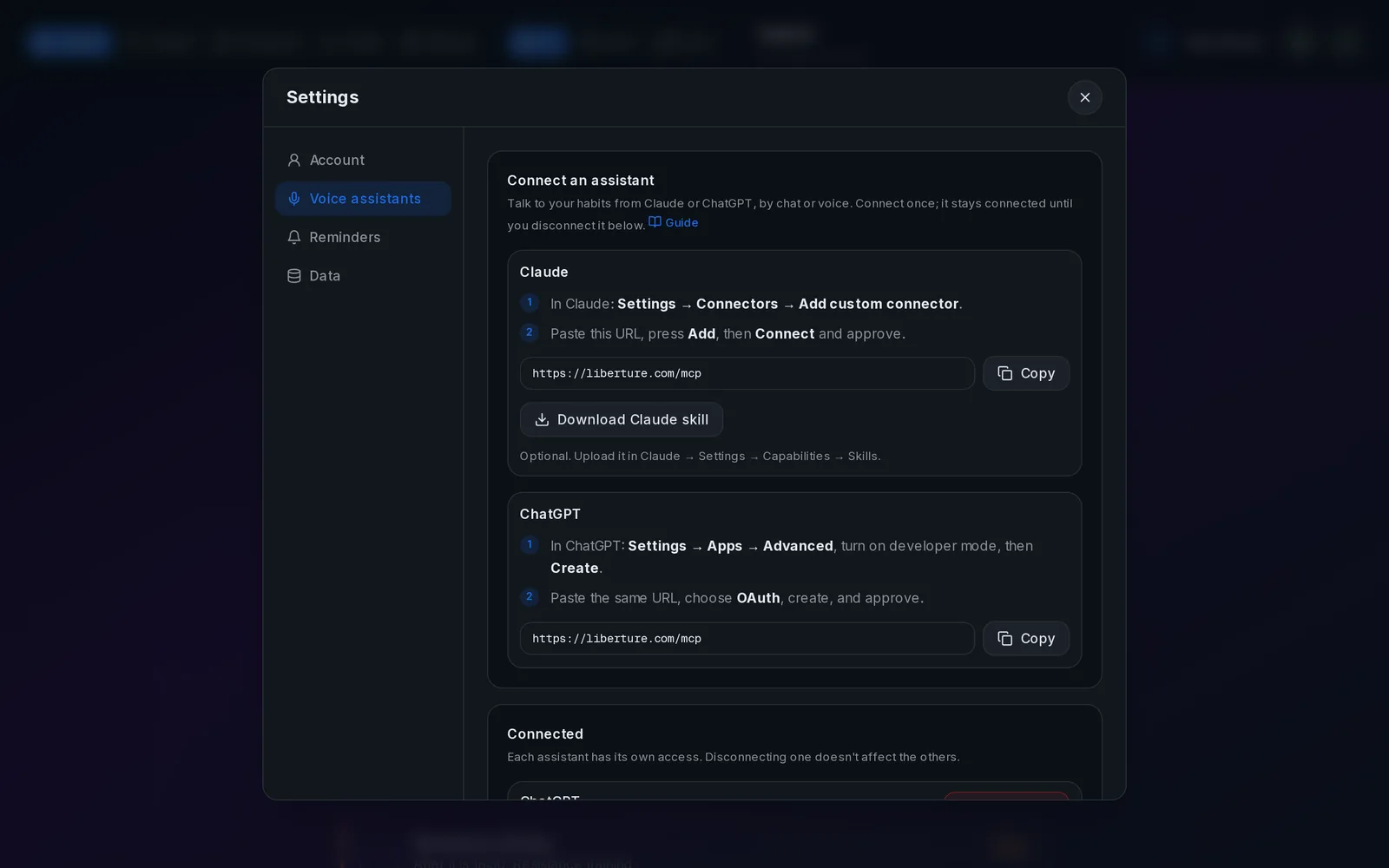
- Settings → Voice assistants: each connected app says "Tools up to date", or how many new tools it's missing and since when.
- Your assistant tells you: when its list is behind, Liberture asks it to mention it once at the start of a chat.
- Docs → Get new tools always shows how many tools Liberture offers right now.
Refresh ChatGPT
In ChatGPT open Settings → Apps & Connectors and open Liberture. Use Refresh if it's offered; if not, disconnect it and connect again with the same URL, sign in and press Approve. Reconnecting replaces the old connection, and your habits and permissions stay as they are. Then start a new chat: old chats keep the old list.
Using a Custom GPT with actions instead? Edit the GPT, go to Configure → Actions → Import from URL, paste https://liberture.com/api/v1/openapi.json and press Update.
Refresh Claude
Claude reads the connector's tools when a conversation starts, so start a new chat first. If the new tools still aren't there, go to Settings → Connectors → Liberture, disconnect, connect again and approve. On the phone app, close it completely and open it again.
Check that it worked
Back in Liberture, Settings → Voice assistants should now say "Tools up to date" for that assistant. You can also just ask it: "which Liberture tools can you use?"
Related guides
How to track your habits with ChatGPT
Connect ChatGPT once and it can read your habits, mark them done and tell you how your week went.
How to connect Claude to your habit tracker
One custom connector and Claude can log your habits, read your stats and suggest protocols, in chat or by voice.
Control what your AI assistant can see and do
Ten switches decide what connected assistants may do. Deleting anything is off until you turn it on.